
How to Login
How to Login
Step 1: Click on the Login link on the top right of the home page of this training site.
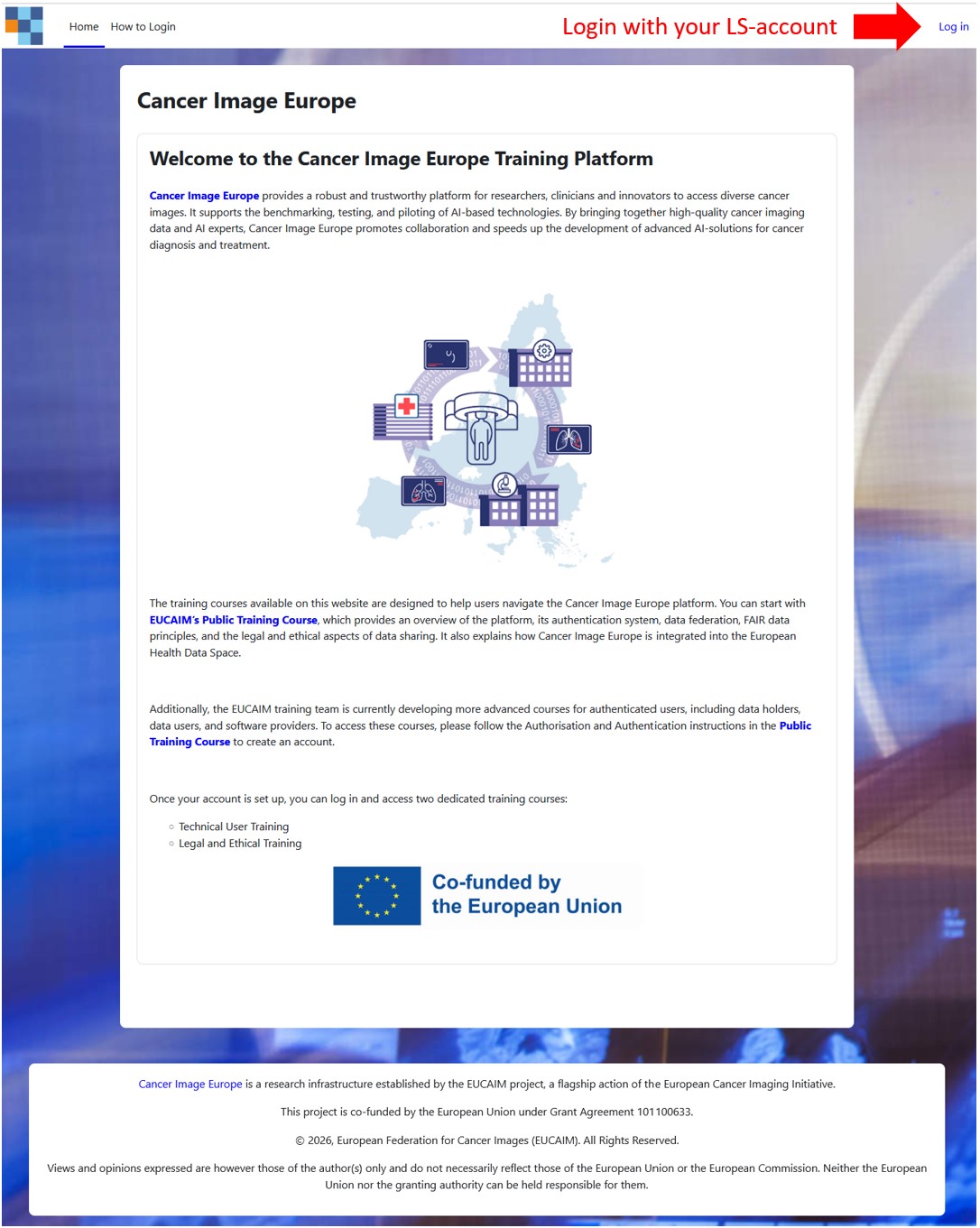 Image 1: Login on landing page
Step 2: Click on the OpenID Connect button. On the login screen, log in using your institutional username and password.
If you're logging in for the first time, please go to the Authorisation and Authentication instructions in the Public Training course and follow the described steps to create a new account.
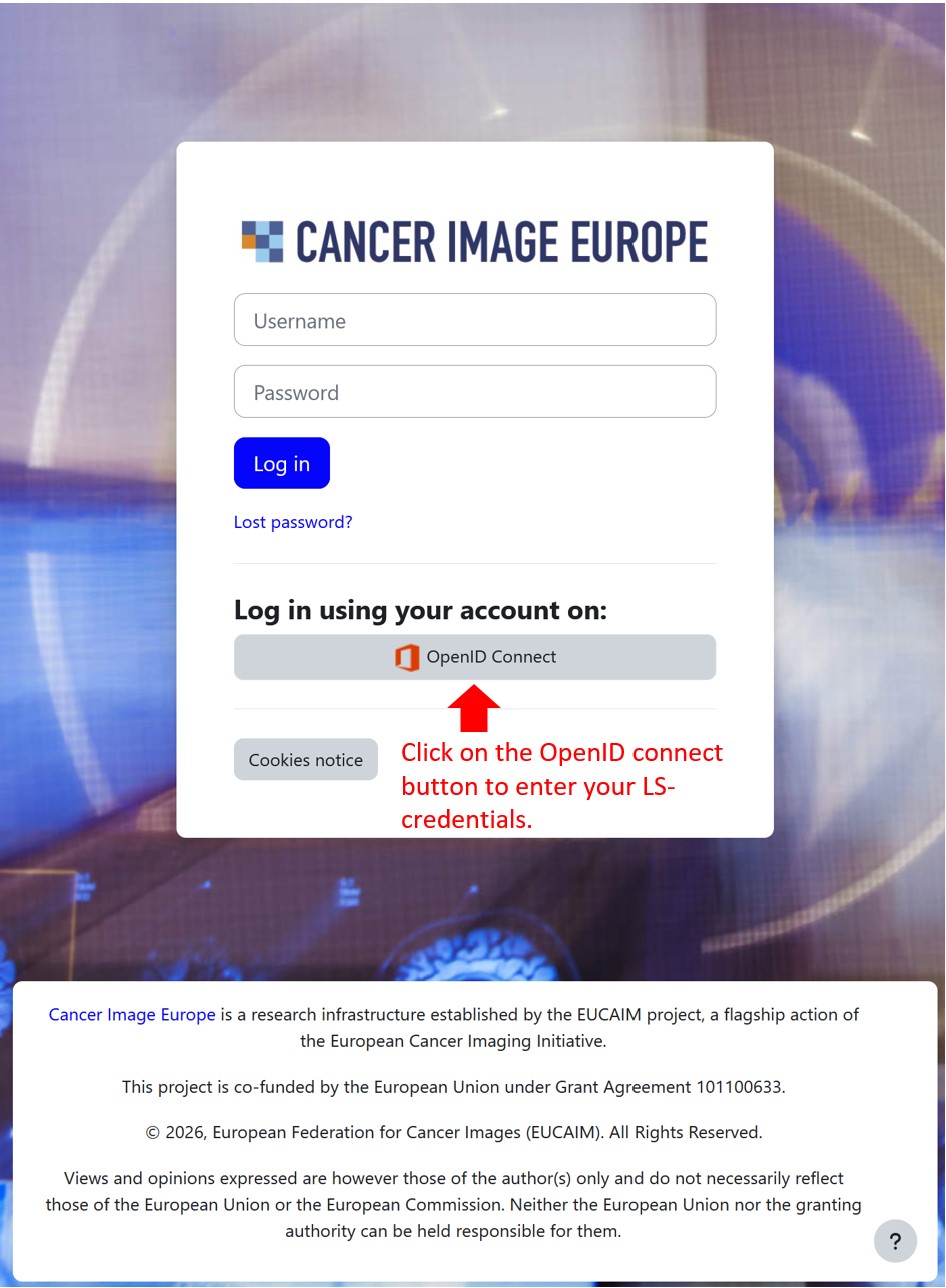 Image 2: Login via OpenID Connect
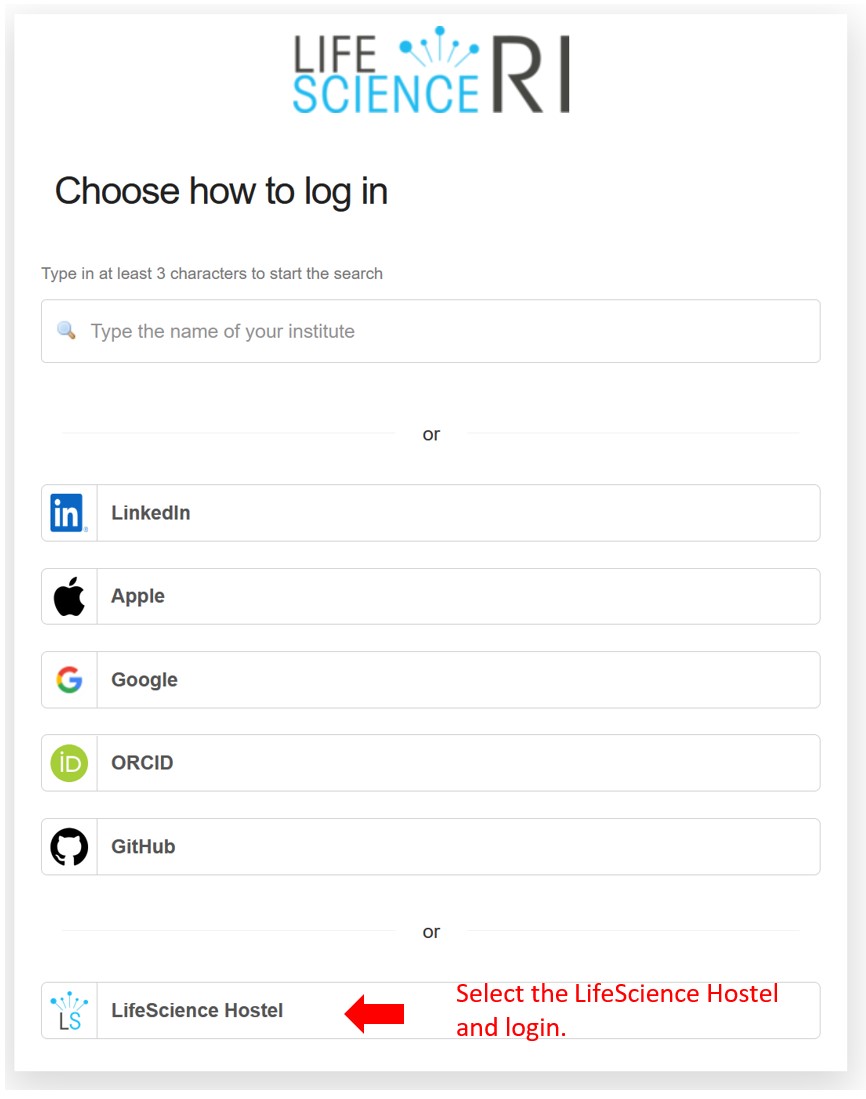
Image 3: Enter your LifeScience user credentials
Step 3: You are now logged in and enrolled in the training courses available for users of the Cancer Image Europe Platform. In the “My courses” section of the header you will find all available courses. When entering a course for the first time, make sure to follow the instructions included in the information box on the right hand side. Depending on the size of your screen, this box may be closed by default. Open it to read the instructions.
⚠️ Please note that this training platform is still under development. While you already have access to the latest resources, we are continuously improving the site and adding new materials as the Cancer Image Europe platform grows.
🛠️ During this time, short maintenance periods may occur, during which access to some content may be temporarily unavailable.